Fair, Fatigue-Free Meetings for Global Teams
Stop doing mental timezone math and burning out remote teammates. Global Meeting Scheduler automatically analyzes working hours across regions and finds optimal meeting times directly in Outlook.
Why Global Teams Love Global Meeting Scheduler
Designed from the ground up for modern distributed organizations across multiple continents.
Zero Mental Timezone Math
No more cross-referencing world clock tabs or calculating UTC offsets. The add-in resolves all attendee time zones instantly.
Native 1-Click Outlook Flow
Works seamlessly in Outlook on the Web, New Outlook for Windows/Mac, and Classic Desktop. One click applies the best slot to your draft.
Privacy by Design
Designed in alignment with European BetrVG § 87 and GDPR Article 88 principles. Zero meeting content reading, domain-salted hashing, and no employee surveillance.
Recurring Series Optimization
Automated rotation algorithms track meeting series history, scheduling core hours for primary cohorts while prioritizing core time for previously burdened regions (Premium).
Recurring Meeting Optimization & Series Fair Rotation
Individual meetings are easy to optimize, but recurring team cadences—such as weekly standups, sprint planning, and quarterly reviews—often trap remote teammates in permanent off-hours. Global Meeting Scheduler Premium unlocks the Recurring Series Optimizer, simulating upcoming calendar occurrences and applying an equitable multi-slot rotation plan directly in Outlook.
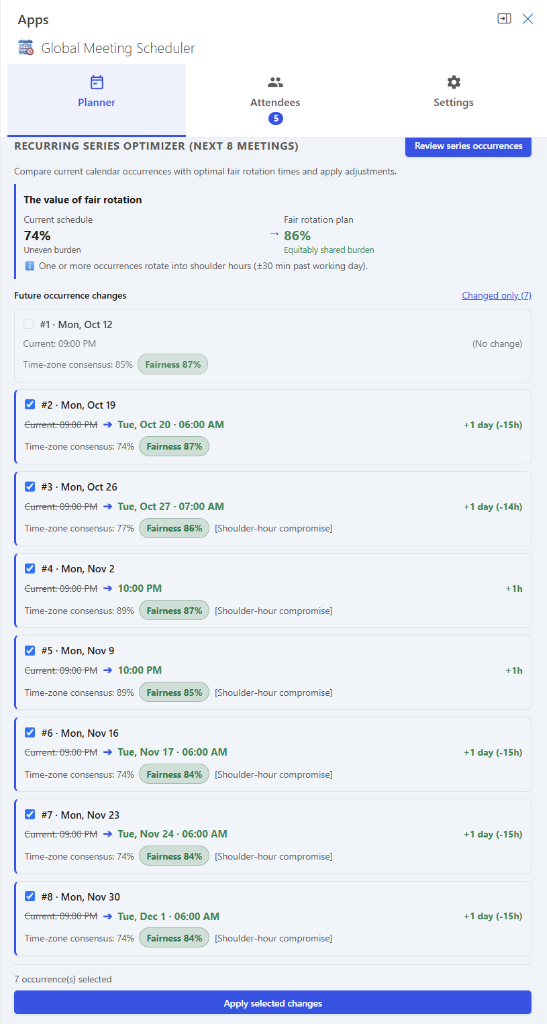
Replaces fixed 100% off-hours attendance for some attendees with an alternating cadence distributed equitably across participating timezones.
Hard sleep boundaries (00:00–05:00) strictly protected across all participating regions.
Dynamic rotation tracks disruption debt automatically without manual spreadsheet math.
Free Core Add-in vs. Premium
Everything you need for individual meetings is free. Upgrade to Premium for recurring series balancing. Premium features require a license.
| Capability | Free Add-in | Premium (License Required) |
|---|---|---|
| One-Off Meeting Slot Optimizer (Best overlap & consensus) | ✔ Included | ✔ Included |
| Interactive Timezone & Working Hour Inspector | ✔ Included | ✔ Included |
| Microsoft 365 Mailbox Settings Integration | ✔ Included | ✔ Included |
| Historical Disruption Debt & Burden Balancing | ✔ Included | ✔ Included |
| Project Fairness Index & Cohort Health Tracking | ✔ Included | ✔ Included |
| Multi-Meeting Memory (Cross-meeting debt & fatigue tracking) | ✔ Included | ✔ Included |
| Automated Series Rotation & Cadence Balancing | 🔒 License Required | ✔ Included |
| Series Hygiene Auditor & Fatigue Detection | 🔒 License Required | ✔ Included |
| Interactive Series Diff & Batch Calendar Apply | 🔒 License Required | ✔ Included |
| Smart Exception & Holiday Anchor Protection | 🔒 License Required | ✔ Included |
| Rolling Series Simulation & Debt Forecasting | 🔒 License Required | ✔ Included |
| Weekday & Cadence Lock Constraints | 🔒 License Required | ✔ Included |
How It Works in 3 Simple Steps
From drafting a meeting invite to sending the optimal time in under 10 seconds.
Seamless Attendee Detection & Inspection
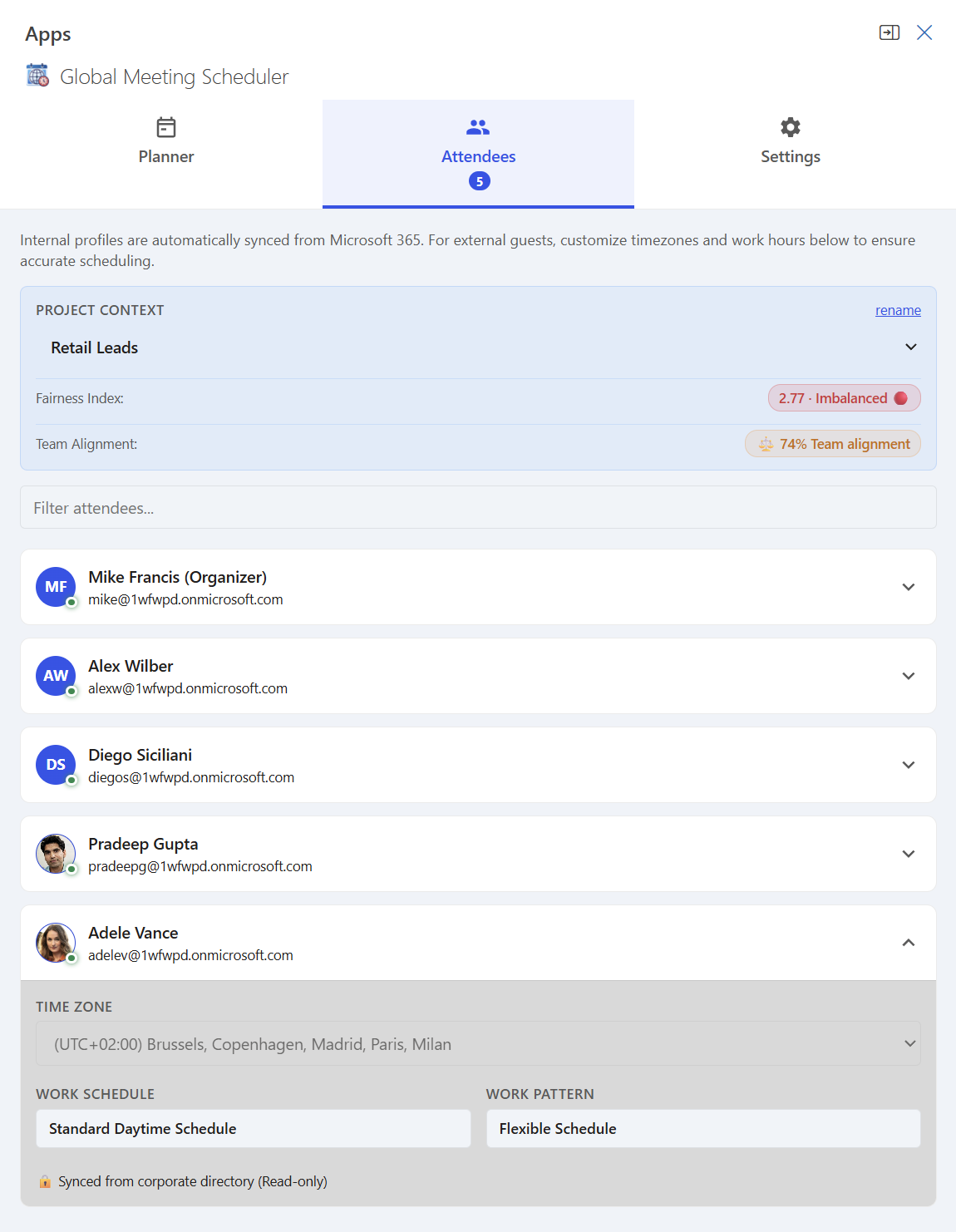
Simply add participants or distribution lists to your Outlook meeting draft as usual. Global Meeting Scheduler automatically detects everyone in the invite—no manual entry required. You can inspect each attendee's resolved time zone, working hours, and local schedule right from the Attendees tab.
Review Multi-Zone Recommendations
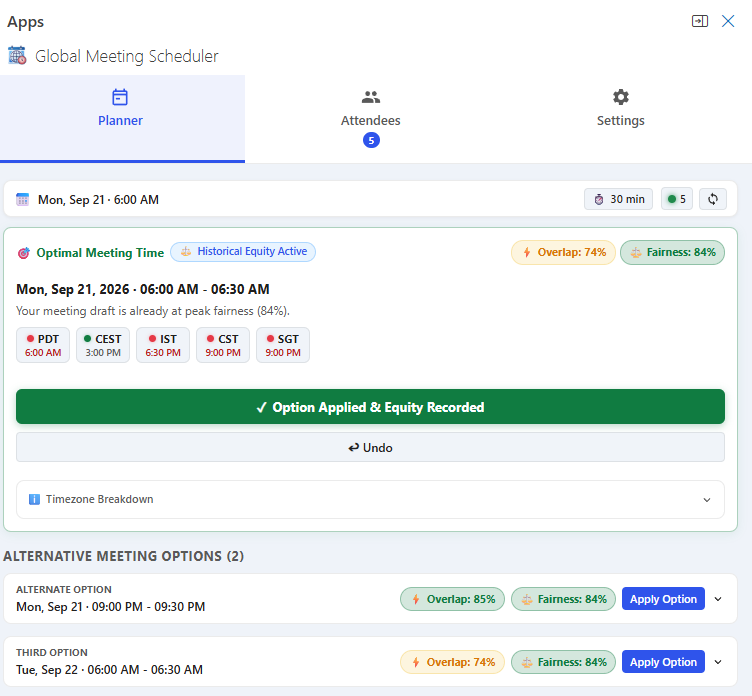
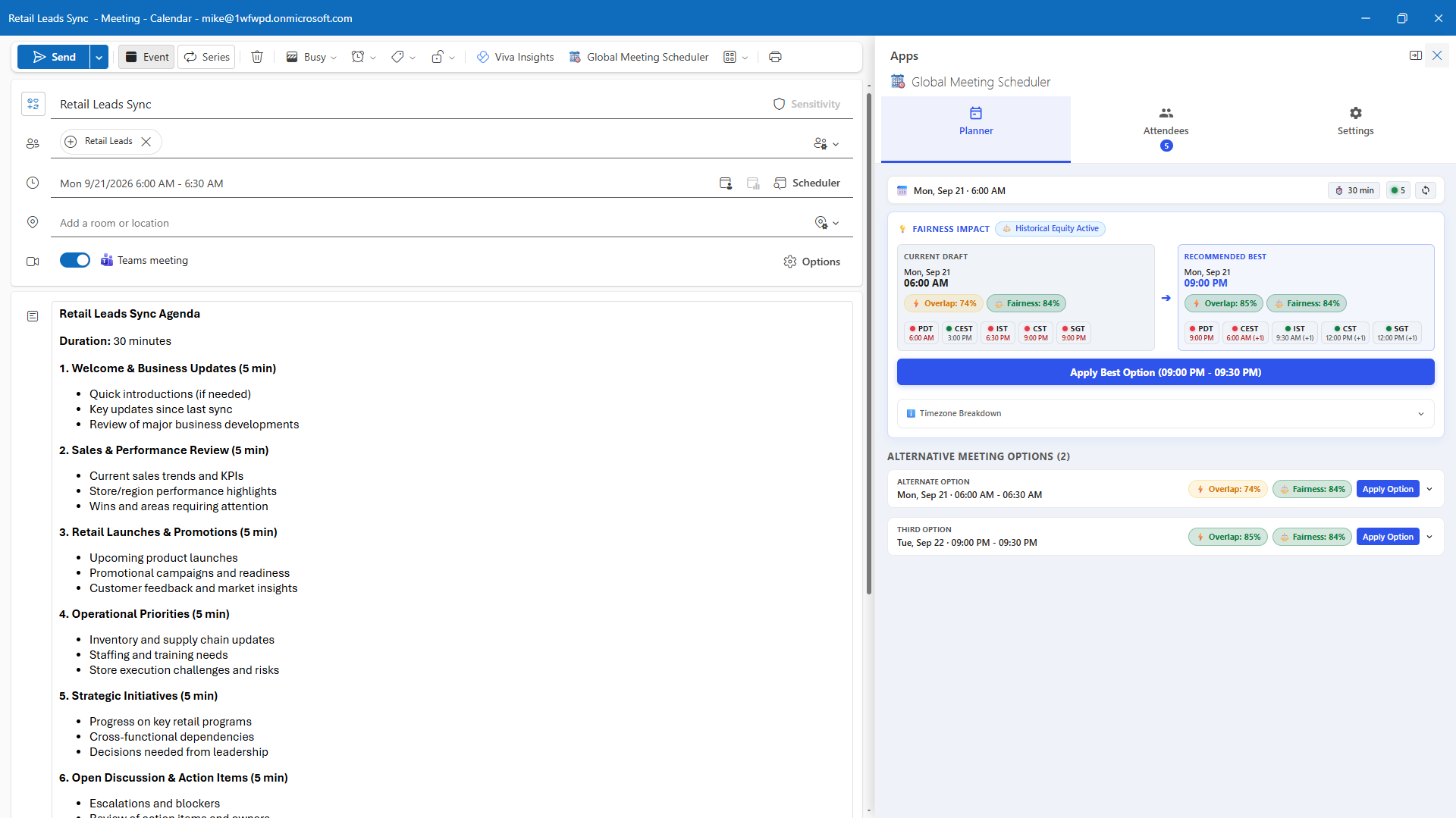
The recommendation engine evaluates prospective slots across the target date, scoring each slot based on working-hour overlap, biological sleep protection, and historical team fairness.
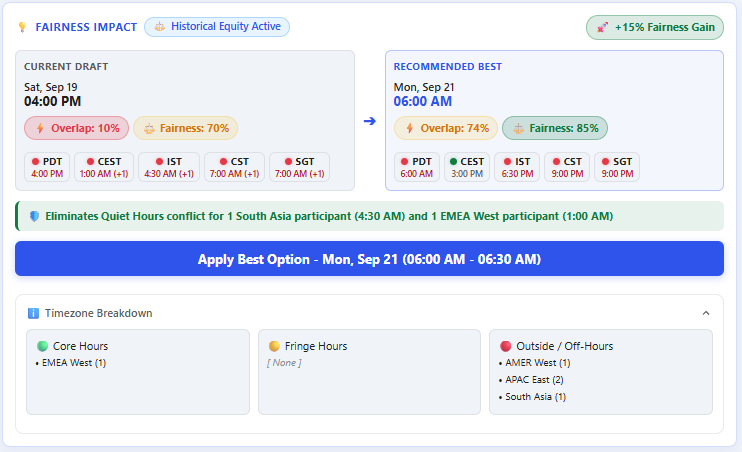
Apply Slot with One Click
Click "Apply Option" on your preferred recommendation. The meeting start and end times in Outlook update automatically. Send your invite knowing everyone is respected.